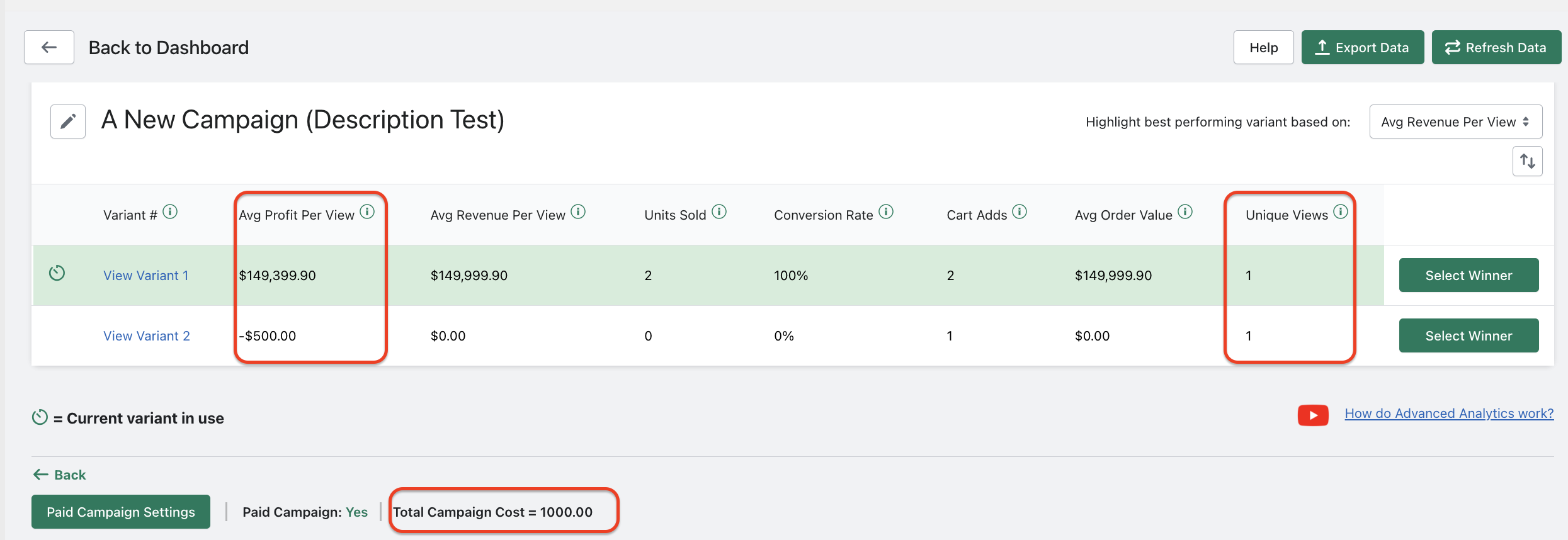
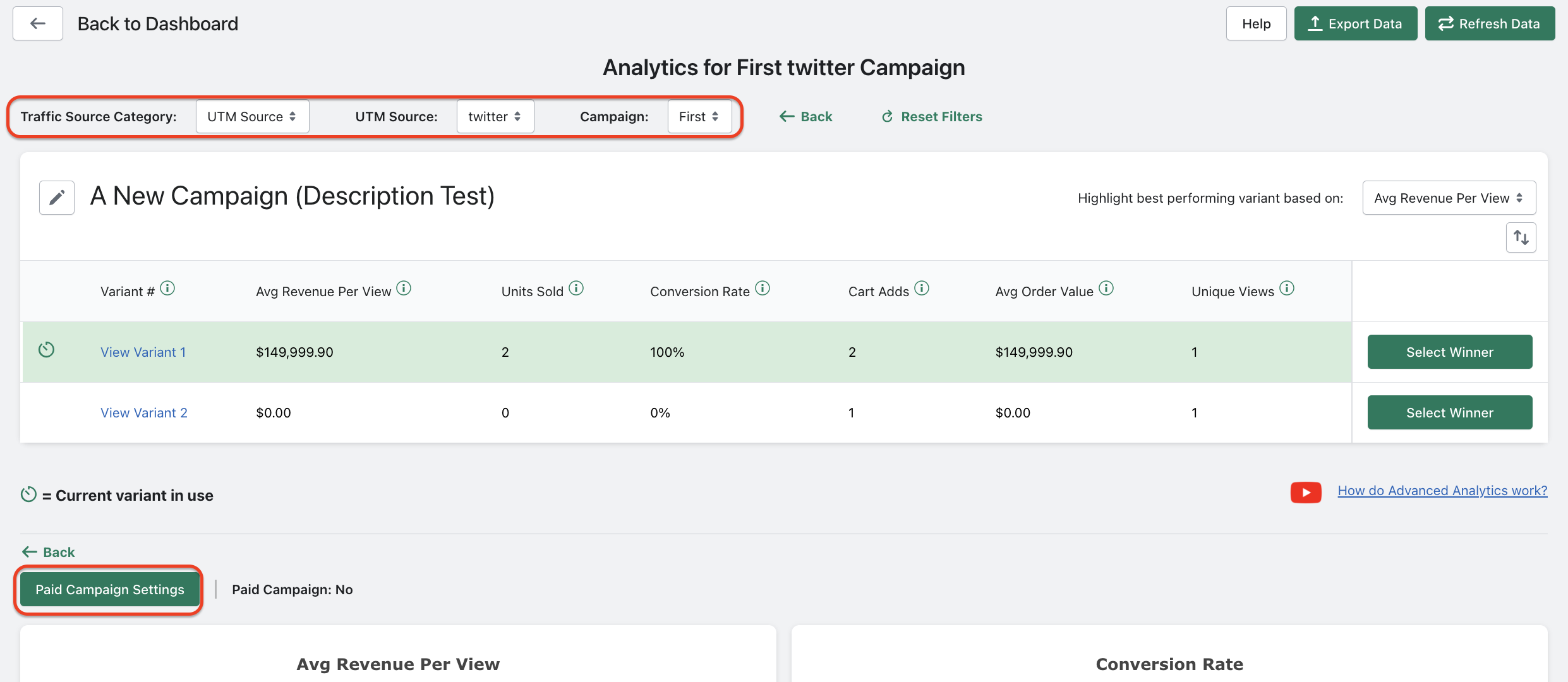
When viewing a specific UTM Campaign on the Enterprise plan, if you click “Paid Campaign Settings”:
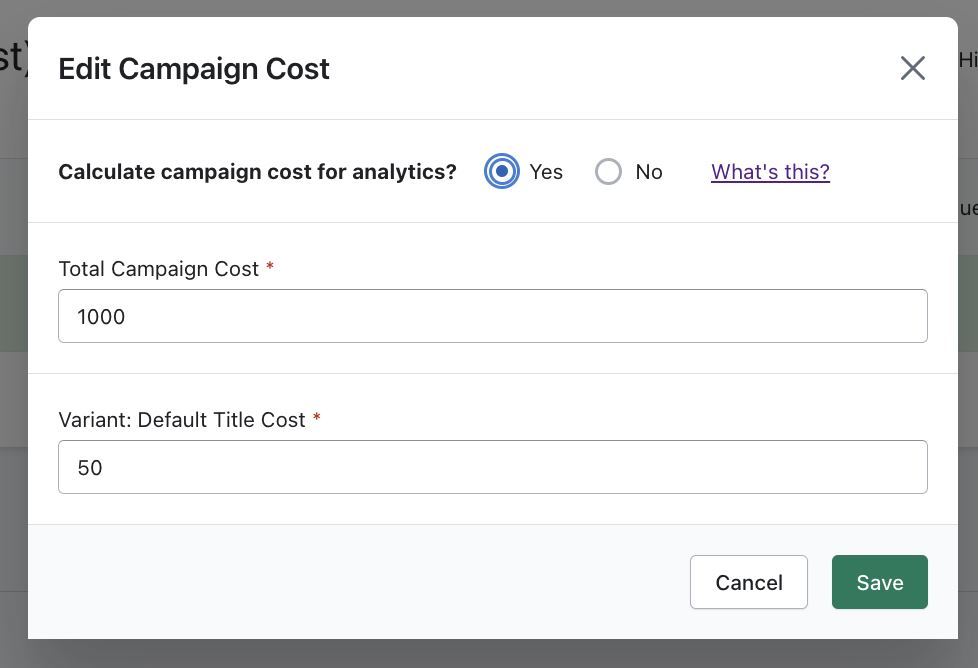
A window will appear where you can indicate if you have campaign costs associated with the marketing campaign. Here the total campaign cost and product costs can both be factored into our app’s profitability calculation per view:
If campaign costs are saved, the “Average Profit Per View” metric and chart will be displayed (which net out product costs per item and the total campaign cost you entered):
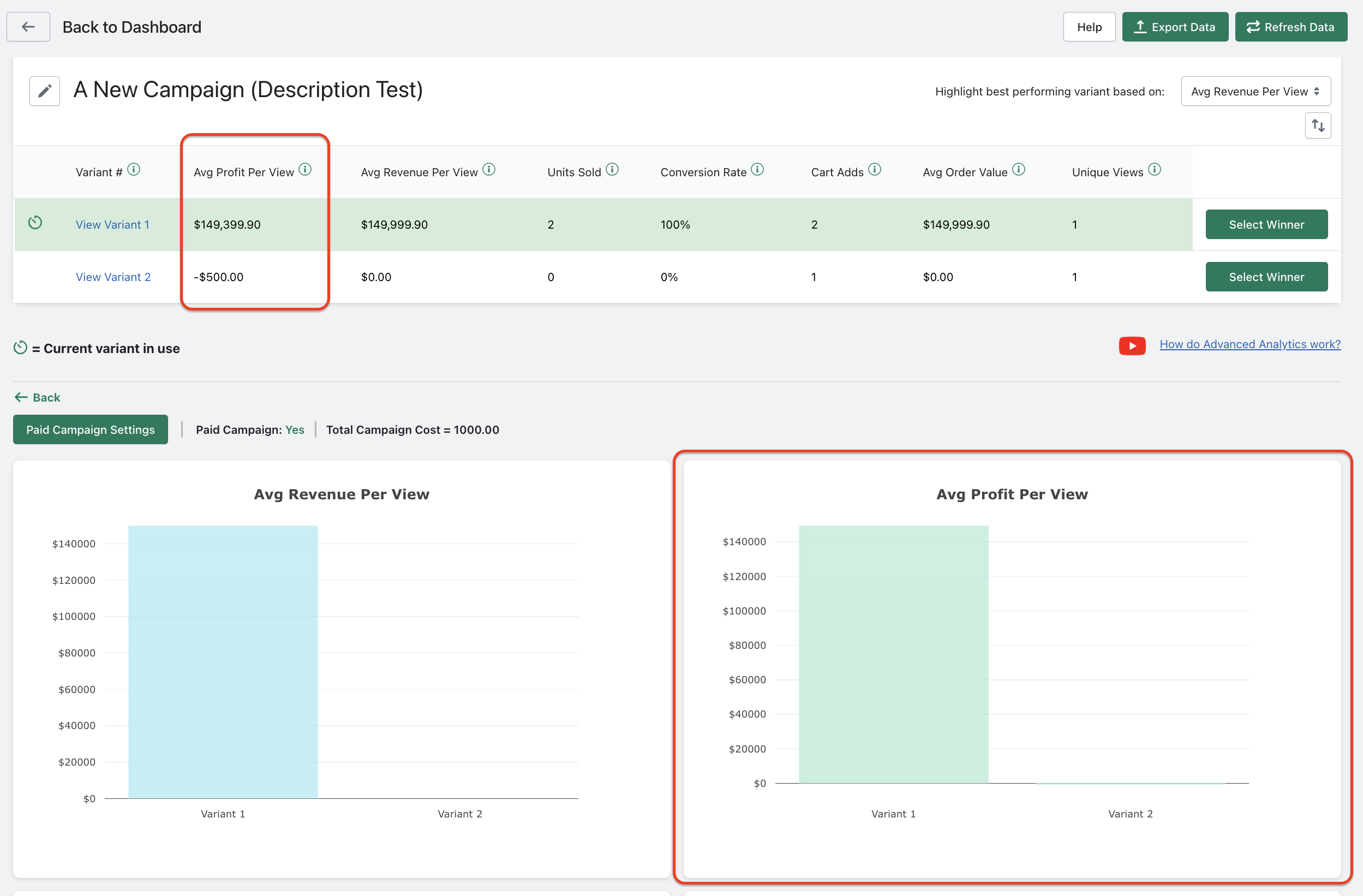
The campaign cost is divided proportionally by the number of views received for the product listing. So given the campaign cost entered was $1000, and each variant received one view (but variant 2 didn’t lead to a sale), $500 would be subtracted from the Average Profit Per View metric for each variant (resulting in a negative $500 Profit Per View amount for Variant 2):