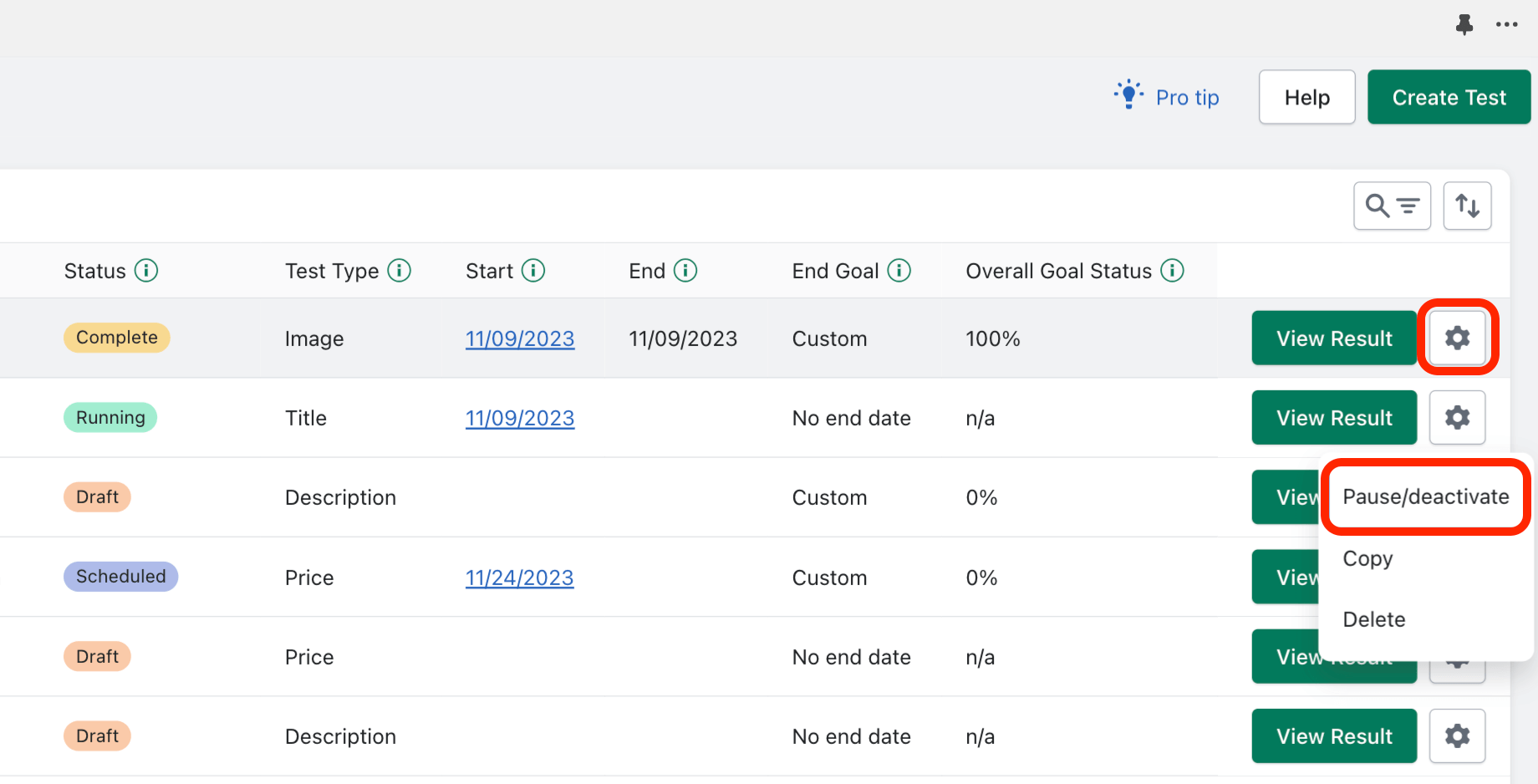
Click the gear icon of a running test to find the “Pause/Deactivate” option:
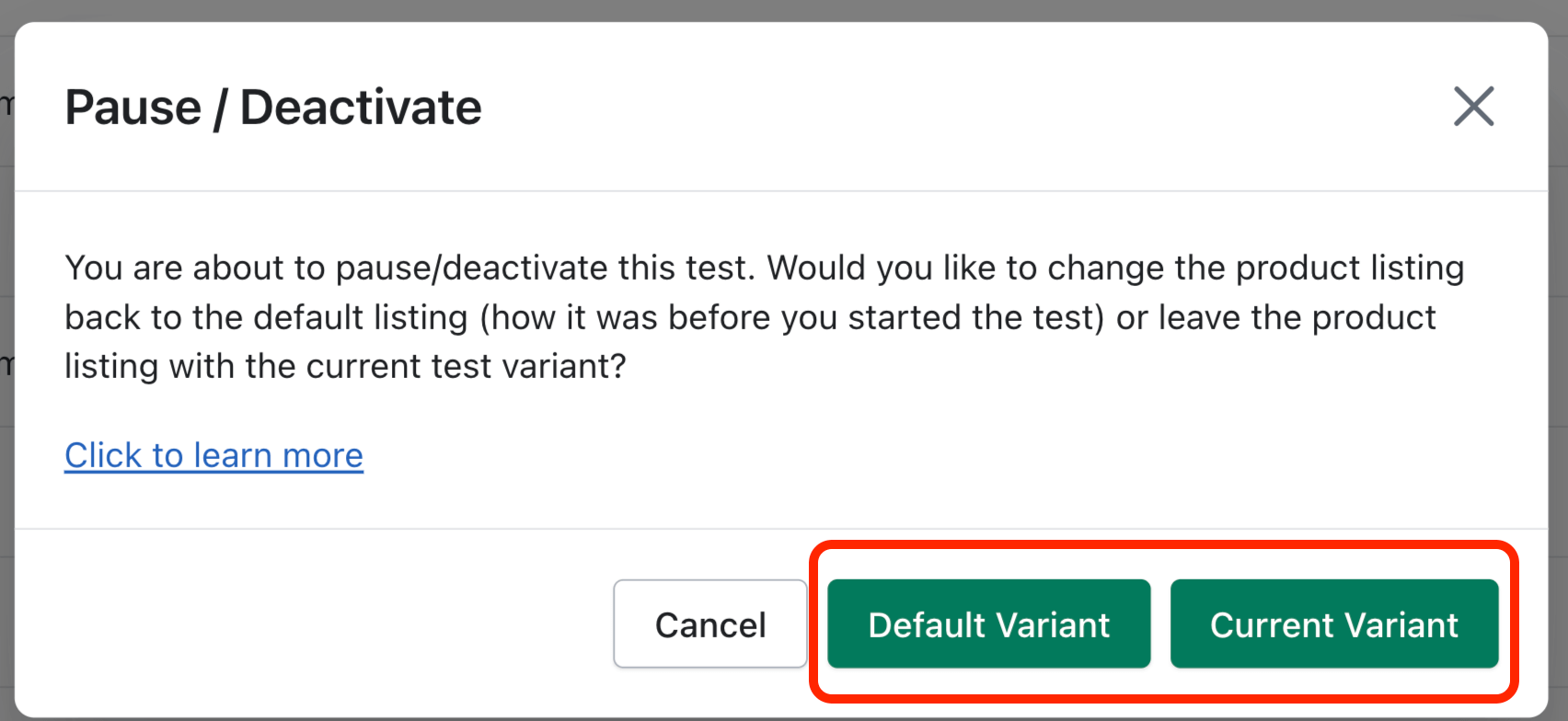
Pausing a test causes the test to indefinitely stop cycling through test variants and we will stop collecting data for the test. To pause the test, you will need to tell our app if we should revert the test variable back to how it was when you started the test (Default Variant), or if you would like to leave the current test variant in place (Current Variant):
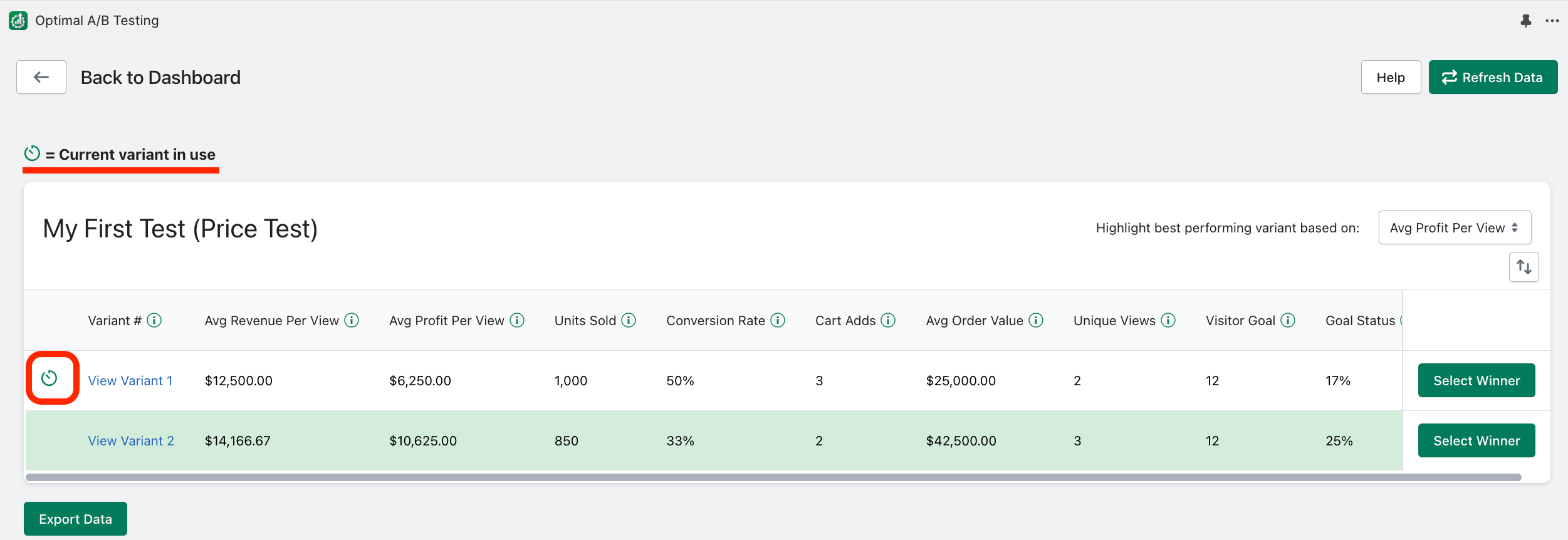
You can quickly tell which variant is currently in use by this indicator:
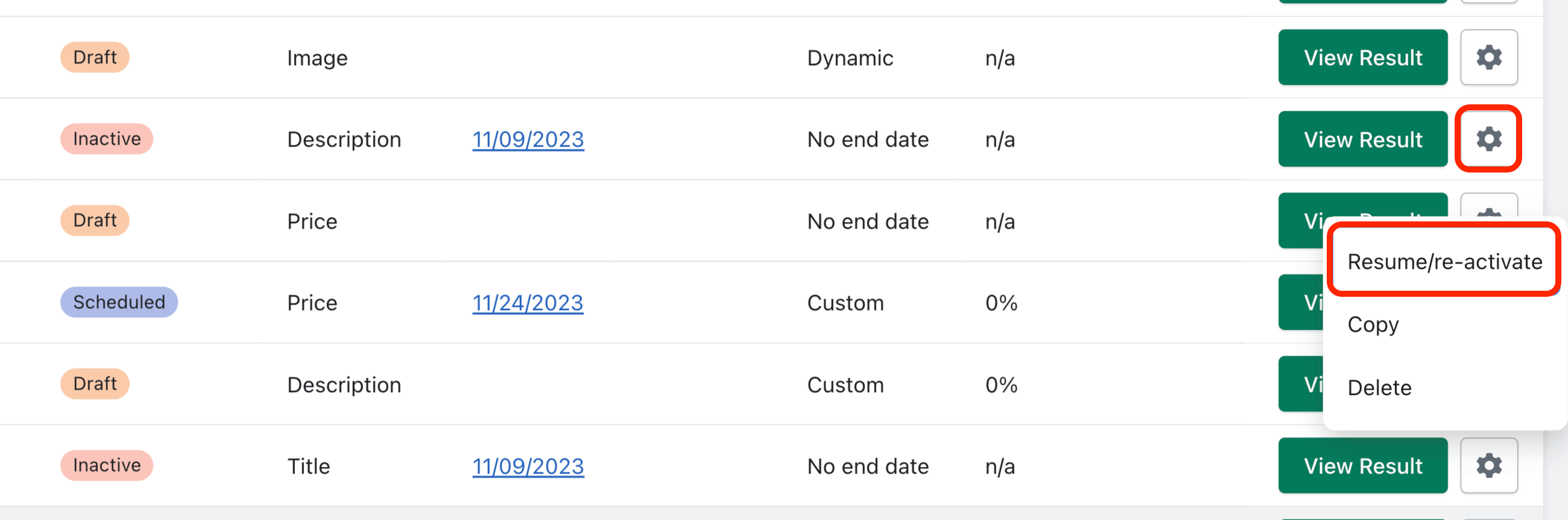
To re-activate a test, click the gear icon and select “Resume/re-activate”: