
Shopify Sync Apps: 5 Types and How to Choose the Right One


Looking for a Shopify sync app? Start with what you need to connect.
Updating stock manually? Copying products between stores? Sending orders to suppliers?
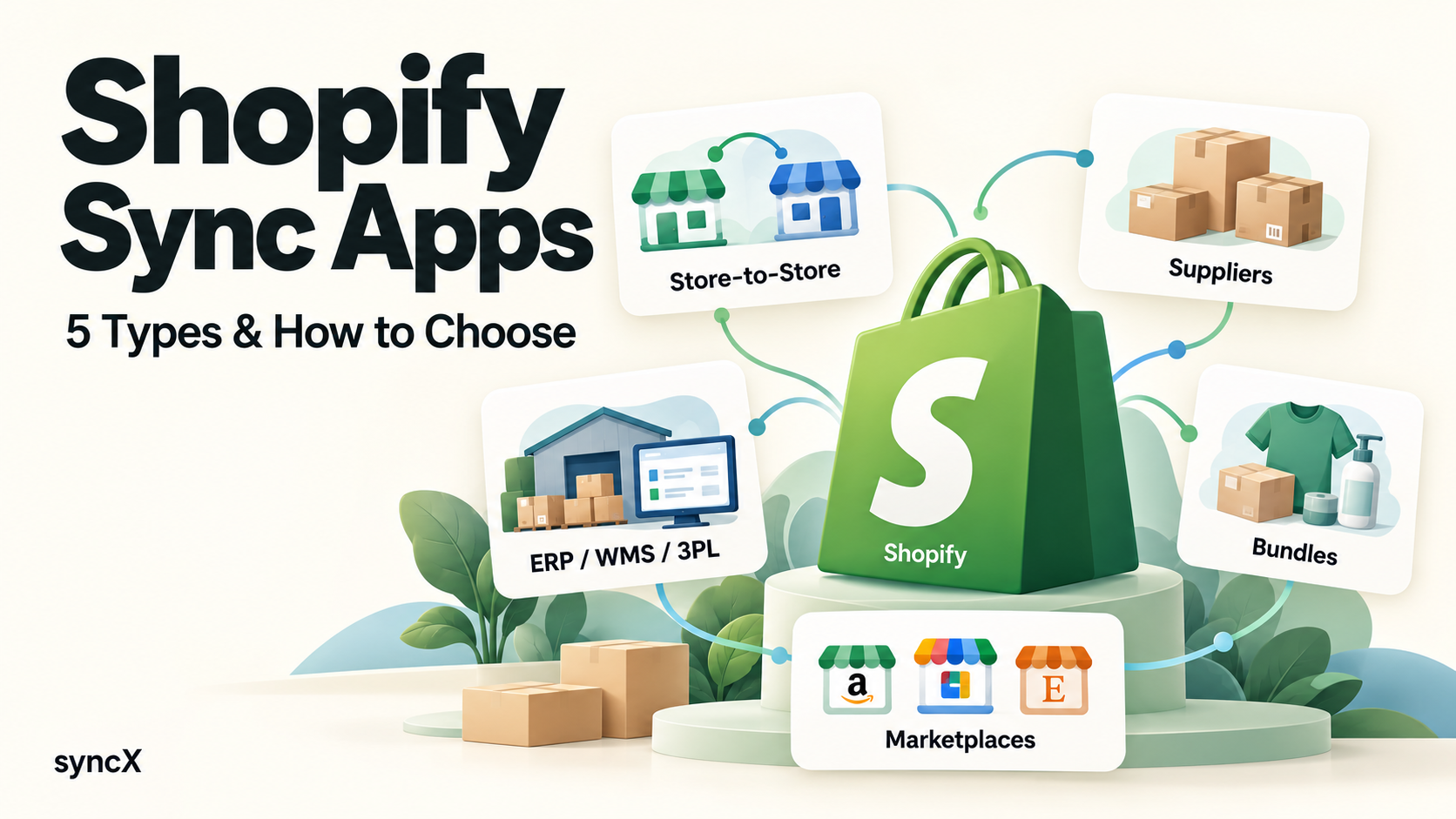
Search “sync” in the Shopify App Store and you’ll find apps solving very different problems. Here are five common types, with search terms and examples to help you find the right fit.
1. Store-to-store sync
For merchants selling the same products across multiple stores, or connecting a supplier’s Shopify store with retailers.
These apps match products, often by SKU, and keep inventory or product details aligned across connected stores.
Search: “multi-store sync” or “store-to-store inventory sync”
Examples: syncX: Stock Sync, Multi-Store Sync Power by EGNITION, Tipo,
2. Supplier sync
For merchants sourcing products from wholesalers, independent suppliers or dropshipping platforms.
The usual starting point: import products, then update stock and prices from the supplier’s data. Order forwarding and tracking updates may require additional features or apps.
Search: Your supplier’s name, “supplier inventory sync,” “product import” or “dropshipping.”
Examples: Alibaba & AliExpress Dropship for marketplace sourcing; syncX: Stock Sync for supplier feeds through supported files, spreadsheets, FTP/SFTP or APIs.
3. Business system sync: ERP, WMS and 3PL
For merchants connecting Shopify with their business software, warehouse management system or fulfillment provider.
A typical workflow brings inventory into Shopify, sends orders out for processing, and returns fulfillment information. The exact coverage depends on the connector.
Search: Your system or provider’s name + “Shopify integration,” “ERP connector” or “3PL integration.”
Examples: NetSuite ERP Connector, TM Odoo Integration.
4. Bundle inventory sync
For merchants selling sets, kits or multipacks that share stock with individual products.
Example: selling one dining set deducts one table and four chairs. Bundle availability reflects the remaining component stock.
Search: “bundle inventory sync,” “kit inventory” or “component inventory.”
Examples: Shopify Bundles, Bundles.app. Look specifically for component inventory management when comparing listings. syncX: Stock Sync is a hub of sync solution. It also provide bundle sync.
5. Marketplace and sales channel sync
For merchants selling on channels such as Amazon, eBay, Etsy or Walmart.
These apps connect product listings, prices, inventory and orders across supported channels. Check that your chosen marketplace and region are supported.
Search: Marketplace name + “connector,” “inventory sync” or “order sync.”
Examples: Shopify Marketplace Connect, LitCommerce.
Before installing, check four things: what data moves, which direction it moves, how often it updates, and which system controls each field.
For supplier and business system workflows, syncX offers three connected pieces:
- syncX: Stock Sync: import products and update inventory, prices and product details.
- syncX: Export: send Shopify orders to suppliers or business systems.
- syncX: Fulfill Tracking: bring tracking numbers back into Shopify and update fulfillment.
Have a specific supplier, system or workflow? Share your requirements with our team—we’ll help assess the connection and explore any additional features needed.
Start Automating Your Inventory Today


Company Reg: 1047341V
5-13-05, Block 5, VSQ @ PJ City Centre, Jln Utara, 46200 Petaling Jaya, Selangor.


.svg)