
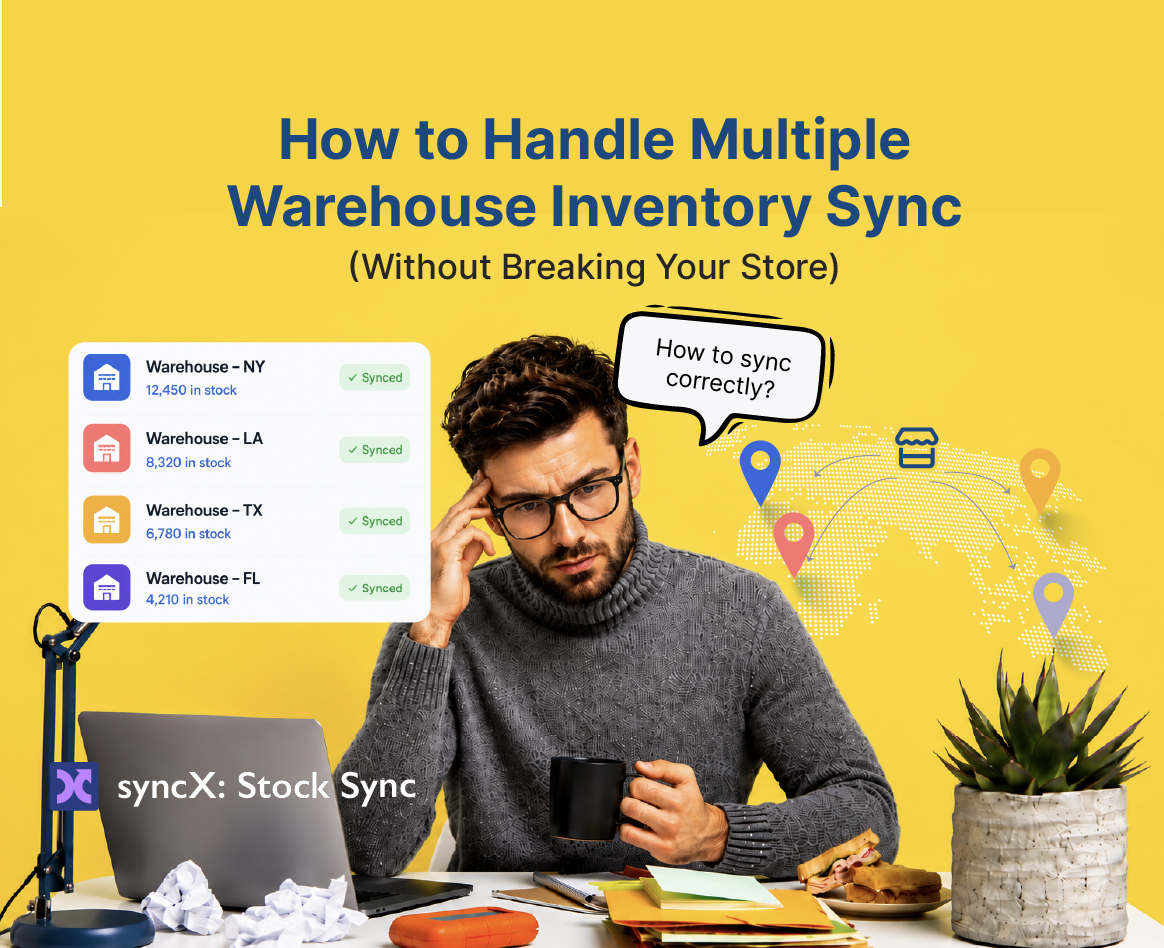
Multi-Warehouse Inventory Sync


How to Handle Multiple Warehouse Inventory Sync (Without Breaking Your Store)
Imagine checking your phone away from the office and seeing an absolute emergency in your inbox: your absolute bestseller has somehow been set to sold out 0 inventory.
Your heart sinks. You look at your warehouse data. Warehouse A has 400 units in the US. Warehouse B has 200 units in the UK. But on your Shopify storefront, it’s a complete ghost town. Your products are marked as unavailable, your active ad campaigns are throwing money out the window, and you’re losing sales by the second.
Managing inventory from a single stock source is hard enough. But the moment you scale to multiple locations, distribution centers, or external suppliers, inventory management becomes incredibly tricky. You're no longer just running a shop; you're fighting a daily battle against clunky data formats, mismatched product variants, and data feeds that drop connection without warning.
If you are currently drowning in CSV files, trying to manually map feeds at midnight, or terrified that your inventory is going to bug out, this guide is for you. Let’s talk about how to get your multiple warehouse inventory sync running perfectly so you can finally save yourself the headaches.
The Reality of Multi-Location Sync: "One Button in the Wrong Position"
When you natively connect multiple locations or external supplier feeds to Shopify, you quickly realize there is a steep learning curve. It’s rarely as simple as clicking "import."
Every warehouse, accounting system, and logistics provider speaks a completely different language. One center drops a raw CSV file onto an FTP server once a day. Another uses an XML feed. Your internal accounting system tracks variants one way, while your regional warehouse tracks them another.
Trying to get these systems to talk to each other manually is an incredibly tedious process. The parameter inputs are hard to understand, and the logic has to be entirely flawless. As one merchant in our community recently put it:
"One button or switch in the wrong position can change the whole output of your site."
When you're dealing with thousands of inventory units, you can't afford to guess what a setting means. You need a setup where the software simply does the job you require it to do, consistently, day in and day out, without budgeting out or crashing.
3 Core Strategies to Clean Up the Multi-Warehouse Mess
If you want an inventory system that lets you sleep at night, you need to step away from the manual workarounds and build a repeatable, automated pipeline. Here is how to handle the setup:
1. Normalize Your Warehouse Data Formats
Don't try to force your Shopify store to adapt to four different, messy warehouse formats. You need a system that acts as an intermediate translator. Whether your warehouse updates via automated CSV files, XML, or direct API connections, your sync tool must be easy to configure to match those specific supplier data formats.
2. Move to Frequent, Scheduled Automated Updates
Unless you are running a strict Shopify-to-Shopify setup (which can update in real-time), your third-party warehouse connections will rely on scheduled feeds.
Running updates once every 24 hours doesn't cut it anymore when you're selling across multiple channels. You need a solution that updates your site automatically on a scheduled, recurring basis—ideally every few hours—so your stock levels stay as close to real-time as your warehouses can publish their files.
3. Master Your Variant and Feed Mapping
The absolute biggest failure point in multi-warehouse sync is bad mapping. If a warehouse changes a column title from "QTY" to "Quantity," a low-tier sync app will break entirely, setting your products to 0 stock. Your multi-location strategy is only as good as your feed mapping logic.
Enter SyncX: The Automated Multi-Warehouse Lifesaver
This exact multi-location chaos is why we built syncX: Stock Sync.
We designed it specifically for merchants who have outgrown basic setups and need a robust, reliable way to handle product and inventory management across multiple stores and stock sources. It takes the complex parameters that usually require a computer science degree and packages them into an app that just does exactly what you want it to do.
[Warehouse A (CSV File)]  ──┐
                            ├──► [syncX: Stock Sync Engine] ──► [Shopify Multi-Location Admin]
[Warehouse B (XML Feed)]  ──┘       (Automated Schedules)
Why Merchants Rely on SyncX Across Multiple Stores:
- Handles Any Feed Format: Seamlessly ingest and update inventory through CSV files, XML sync, Rest APIs, and tons of other options.
- Set-and-Forget Schedules: Update your inventory automatically on a scheduled basis directly from your warehouses or accounting systems. No manual uploading required.
- Phone-Friendly Management: Need to check a feed rule while you're away? The app is built to let you monitor and configure your warehouse uploads right from your phone.
- Massive Time Savings: What used to take hours of manual copy-pasting now takes 5 to 10 minutes of automated execution.
"What If I Get Confused During Setup?"
We aren't going to tell you that data integration doesn't require a bit of thinking. When you’re connecting multiple feeds, configuring parameters can take some understanding, especially if you aren’t highly tech-savvy.
But you aren't doing this alone. We don't believe in closing support tickets without an actual solution.
Our support staff are exceptional at problem-solving and will literally walk you through the process until you are completely comfortable that your feed mapping is set up correctly. If your warehouse makes an unexpected change to their API or data layout, our team steps up to help you fix the logic so you can get right back to where you need to be.
Stop Managing Headaches. Start Managing Growth.
If your multi-warehouse setup currently feels like a house of cards, it’s time to clean up the plumbing. You shouldn't have to worry about the inventory of your store every single morning.
Let syncX: Stock Sync do the heavy lifting for you. Get your automated warehouse feeds running cleanly, protect your storefront from accidental "0 stock" glitches, and get back to scaling your brand.
Ready to see it work? Explore SyncX: Stock Sync and get your multi-warehouse inventory running perfectly.
.jpg)


Start Automating Your Inventory Today


Company Reg: 1047341V
5-13-05, Block 5, VSQ @ PJ City Centre, Jln Utara, 46200 Petaling Jaya, Selangor.


.svg)