
.jpg)
Stop Overselling | Shopify Inventory Sync | SyncX


Why AI Prompts Can’t Replace Scheduled Stock Sync on Shopify
AI chatbots like ChatGPT and Claude cannot replace automated inventory management because they require manual file handling, corrupt numerical data, and lack scheduled background execution. In benchmark tests covering 2,124 product variants, free AI tools failed to convert over 98% of prices correctly, hallucinated inventory weights, and created broken files that Shopify rejected outright. SyncX: Stock Sync automates your inventory updates directly from supplier feeds (FTP, Google Sheets, or REST APIs) on an hourly or daily schedule—and streams real-time updates for store-to-store connections—so you can stop fixing broken spreadsheets and focus on growing your business.
The 2:00 AM Inventory Trap
Picture this: It's 11:00 PM on a Thursday night. You run a quick flash sale on your top apparel line. Meanwhile, at 2:00 AM, your supplier updates their warehouse inventory on an FTP server, marking your three best-selling sizes as completely out of stock.
If you rely on AI prompts to manage your inventory, you have to wake up, download the spreadsheet, draft a prompt, wait for the AI to format the file, and upload a CSV into Shopify. But since you're asleep, that file sits untouched. Your store keeps taking orders all night for products your supplier no longer has.
By Friday morning, you wake up to dozens of orders you can't fulfill, an inbox full of disappointed customer emails, and hours spent issuing manual refunds.
AI models are great chat partners, but they aren't background automation engines. Using them for inventory creates a false sense of security that leads straight to overselling, stockouts, and canceled orders.
The Hard Numbers: What Happens When AI Prepares a Shopify Import
To test whether AI can clean product spreadsheets for Shopify, researchers benchmarked four major LLMs across supplier files containing 366 products, 2,124 variants, and over 2,000 images.
The study evaluated how accurately each AI converted non-standard vendor files into Shopify-compliant CSV imports. Here is what the testing revealed:
Over 98% Pricing Failure Rate Across Free AI Models
Pricing accuracy is essential for any store. Yet across 2,124 product variants:
- Free ChatGPT: Converted only 24 prices correctly—and set every single one of them to $0.00.
- Free Gemini: Got zero out of 2,124 prices right on its first attempt.
- Free Claude: Missed over 2,100 variant prices entirely.
Even after a correction round where researchers pointed out the exact errors, all three free AI models still failed to convert 2,100 out of 2,124 prices correctly. That is a 98.8% pricing failure rate.
Hallucinated Inventory and Shipping Weights
AI language models guess what comes next based on patterns rather than math. On a 14-product test, Free Gemini made up inventory counts and assigned a fake weight of 15,000 grams (33 lbs) to every product—data that never existed in the source file.
Broken Files and Rejected Imports
Formatting mistakes can break your import completely. In the test benchmark, Shopify rejected Gemini's corrected import file because the AI left every inventory-policy cell blank.
Dropped Images and Lost SKUs
When handling items with multiple options, AI models struggle to keep variant relationships intact. Free Claude dropped over 900 variant image assignments on its first try, while Free ChatGPT wiped out unique variant SKUs.
How SyncX Solves the 4 Pain Points of Manual AI Updates
1. Hands-Off Scheduling vs. Prompt Fatigue
AI only works when you talk to it. Every time your supplier updates their numbers, you have to log in, download files, craft prompts, check outputs, and upload files to Shopify.
How SyncX helps: SyncX: Stock Sync updates your stock automatically in the background on an hourly or daily schedule that you choose. If you connect directly to another Shopify store, SyncX updates your inventory in real time. You never have to write a prompt or touch a spreadsheet again.
2. Direct Supplier Connections vs. File Uploads
AI chatbots cannot connect directly to your vendor's FTP server, read an XML feed from a warehouse, or check a private dropshipper link on a schedule.
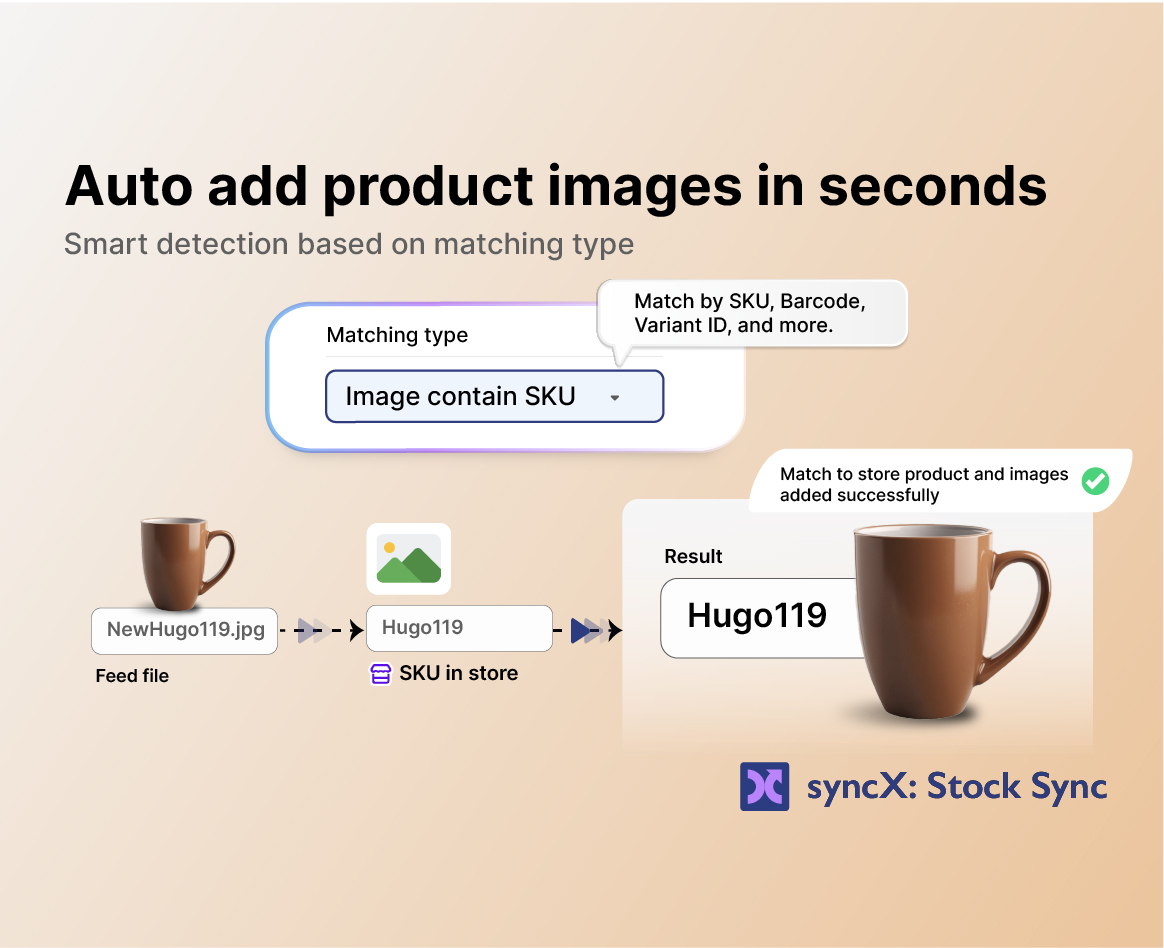
How SyncX helps: You can hook SyncX directly into FTP, SFTP, Google Sheets, Dropbox, email attachments, and REST APIs. Once configured, data moves from your supplier into your store on auto-pilot.
3. Exact Mathematical Accuracy vs. AI Hallucinations
AI language models operate on probabilities, not strict business rules. When you feed an AI a large spreadsheet, it can alter SKUs, drop leading zeros, or skip entire price columns.
How SyncX helps: SyncX uses direct field mapping for 100% data accuracy. Every SKU, variant quantity, custom field, and price matches your supplier feed exactly—zero hallucinations, zero missing zeros, and zero $0 price tags.
4. Smart Store Rules vs. Static Spreadsheets
Updating stock isn't just about changing a quantity number. It's about protecting your customer experience when stock runs low. AI prompts can't interact with your store settings to respond when items sell out.
How SyncX helps: You can set smart merchandising rules that execute automatically:
- Auto-Hide: Automatically hide or unpublish products the moment supplier stock hits zero.
- Auto-Publish: Bring items back online instantly when your vendor restocks.
- Price Rules: Apply percentage markups across supplier catalogs automatically without opening Excel.
How to Set Up Scheduled Stock Sync in 3 Steps
You don't need code or a developer to protect your inventory. Here is how easy it is to get started:
- Connect Your Data Source: Select where your supplier hosts their inventory file (FTP, Google Sheets, Dropbox, REST API, or another Shopify store).
- Map Your Fields: Match your supplier’s SKU, quantity, and price columns to your Shopify fields using our simple visual mapper.
- Choose Your Schedule & Rules: Pick your update frequency (hourly or daily for supplier feeds, or real-time for store-to-store links) and turn on auto-hide or markup rules.
Once saved, SyncX runs quietly in the background on your schedule, keeping your catalog accurate around the clock.
Stop Prompting Your Stock. Start Automating.
AI is fantastic for writing blog outlines, polishing ad copy, and summarizing customer emails. But when it comes to keeping your inventory accurate across supplier feeds, manual AI prompts cause pricing errors, hallucinated numbers, and file corruption.
Stop wasting time on manual spreadsheet imports. Try SyncX: Stock Sync free today and let automated background updates protect your store while you focus on making sales.



Start Automating Your Inventory Today


Company Reg: 1047341V
5-13-05, Block 5, VSQ @ PJ City Centre, Jln Utara, 46200 Petaling Jaya, Selangor.


