
Stop Overselling | Shopify SyncX: Stock Sync


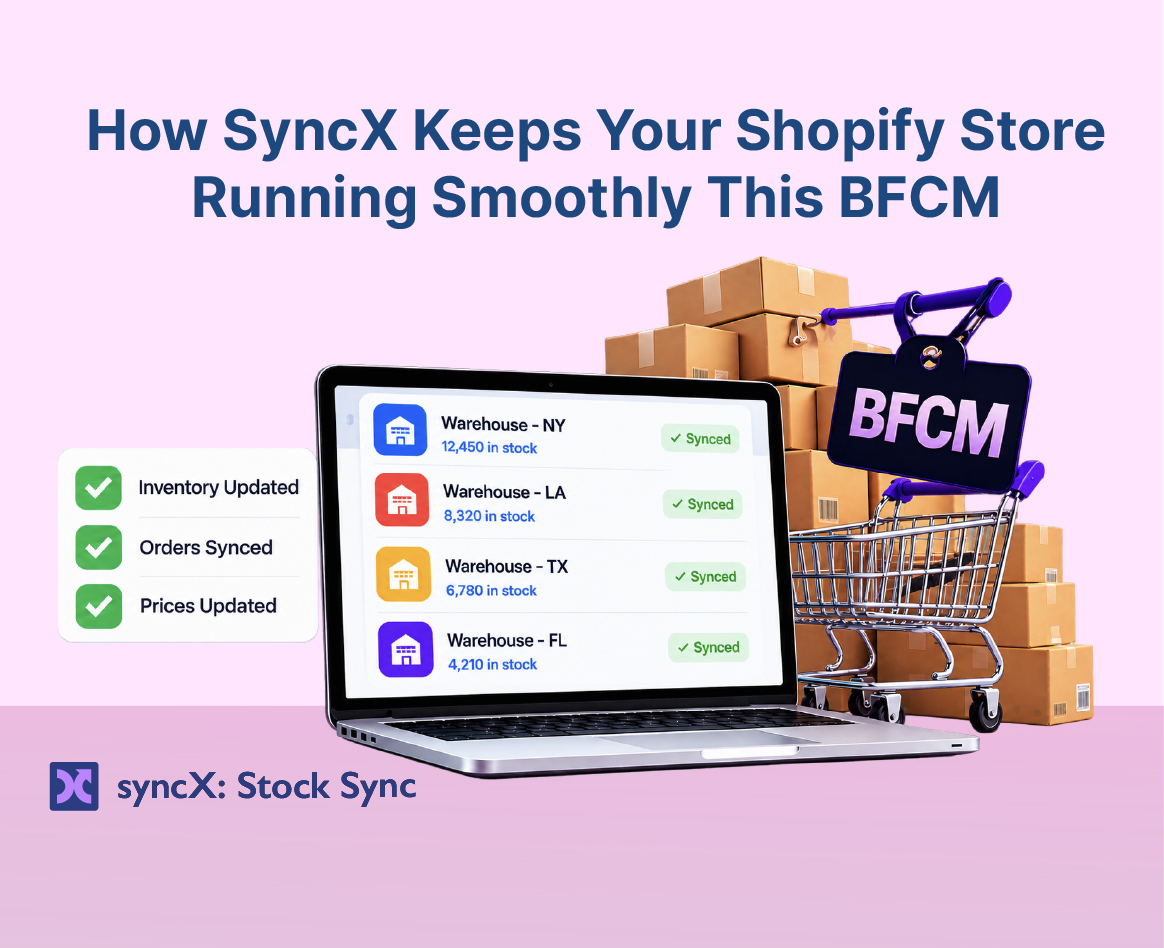
How SyncX Keeps Your Store Running Smoothly This BFCM
SyncX: Stock Sync keeps your Shopify inventory accurate in real time during Black Friday Cyber Monday (BFCM) by automatically syncing stock levels from suppliers, warehouses, spreadsheets, and marketplaces. Instead of manually editing CSV files or disappointing customers with out-of-stock items, SyncX connects directly to your data sources—like Google Sheets, FTP feeds, and APIs—to update stock, change sale prices in bulk, generate AI product SEO, and update product metafields. You can test every feature today with a 3-day free trial and get your first 30 days for just $1 on the Shopify App Store.
It’s 2:15 AM on Cyber Monday. Your ad campaigns are crushing it, orders are pouring in every few seconds, and you’re finally ready to close your laptop for the night.
Then the email lands in your inbox.
Your main supplier just sent an updated stock list: that top-selling jacket you sold 60 units of over the last four hours? It actually went out of stock yesterday afternoon. Now you're facing angry emails, chargeback fees, wasted ad spend, and a damaged brand reputation right at the start of peak sales season.
You don't need another late-night spreadsheet headache this BFCM. You need your store to manage itself.
Here is how SyncX handles the heavy lifting for you this holiday season.
Stop Overselling with Automated Inventory Sync
When traffic spikes during BFCM, updating stock levels by hand breaks down fast. If your supplier feeds lag by even 30 minutes, you end up selling products you don't have.
SyncX: Stock Sync works silently in the background to keep your stock accurate across every channel:
- Connect Any Supplier Feed: Link Google Sheets, FTP/SFTP folders, Dropbox, CSV files, or APIs directly to your store. SyncX reads supplier files and updates stock automatically.
- Hide Sold-Out Items: Move out-of-stock items to the bottom of your collection pages or hide them completely so shoppers always see what’s ready to ship.
- Multi-Location Control: Track inventory across multiple warehouses and suppliers without losing track of your real-time stock counts.
The Takeaway: Real-time stock updates mean zero canceled orders, zero wasted ad budget on sold-out products, and no late-night CSV edits.
Change Sale Prices in Bulk Without the Manual Stress
Changing prices one item at a time right before a sale starts is a recipe for mistakes—especially if you manage hundreds or thousands of SKUs.
With the Bulk Product Edit feature in SyncX: Stock Sync, you can launch storewide sales in seconds:
- Apply Discounts Instantly: Adjust prices up or down by fixed dollar amounts or percentages across specific collections, vendors, or product types.
- Set Compare-At Prices Easily: Display clear sale tags across your entire store without touching individual product screens.
- Schedule Price Reversals: Set your sale prices to revert automatically when Cyber Week ends so you never accidentally leave discounts live.
👉 Try Bulk Product Edits with a 3-day free trial on the Shopify App Store
Boost Holiday Search Traffic with AI SEO Recommendations
Holiday search traffic spikes weeks before the sales begin. If your product titles and descriptions lack search-friendly terms, shoppers will buy from competitors who show up first.
SyncX: Stock Sync includes an AI Recommendation Feature built specifically to clean up and optimize your catalog:
- Generate High-Converting Titles: Get clear, search-friendly title suggestions that match what holiday shoppers search for.
- Write Sharp Descriptions: Create clean, persuasive product descriptions in seconds with built-in AI prompts tailored to your products.
- Fix Missing Data Fast: Scan your catalog for missing tags or SEO titles and fill them in with one click.
Update Product Metafields at Scale
Holiday shoppers want fast answers before they buy: When will this ship? What is the return window? What are the product dimensions?
Instead of editing hundreds of product pages one by one, use SyncX: Stock Sync to update product metafields in bulk:
- Add Holiday Shipping & Promo Tags: Push holiday shipping deadlines or promo notes into custom metafield fields across entire collections.
- Import Extra Supplier Data: Map detailed product specs—like care instructions, materials, or origin details—straight from supplier feeds into Shopify metafields.
- Keep Your Catalog Clean: Standardize extra product details across every listing for a clean, consistent customer experience.
Get Your Store BFCM-Ready in 4 Simple Steps
You don't need a developer or weeks of technical setup to get ready for Cyber Week:
- Install the App: Download SyncX: Stock Sync directly from the Shopify App Store.
- Connect Your Feeds: Link your Google Sheets, CSV files, FTP feeds, or supplier links.
- Set Your Rules: Adjust prices with Bulk Product Edit, generate AI SEO recommendations, or update custom metafields.
- Pick Your Sync Schedule: Set updates to run as often as every 10 minutes, then sit back while SyncX handles the rest.
Protect Your Holiday Sales for Just $1
Don't wait for peak traffic to reveal gaps in your store's inventory and product setup. Get your stock synced, your prices set, and your product listings optimized before the rush begins.
For a limited time, you can test every feature in SyncX with a 3-day free trial, then get your first 30 days for just $1 on any plan.
Get SyncX: Stock Sync on Shopify — 3 Days Free + $1 First Month



Start Automating Your Inventory Today


Company Reg: 1047341V
5-13-05, Block 5, VSQ @ PJ City Centre, Jln Utara, 46200 Petaling Jaya, Selangor.


