
.jpg)
SyncX Order Export Update


From PDF Invoices to Smarter Triggers: 3 Big Updates to Your Order Exports
If you’ve been running your Shopify store for a minute, you know that the back-office grind changes the moment your order volume ticks up.
In the beginning, a basic spreadsheet export once a week is fine. But as your operation grows, your accounting team starts screaming for actual documentation. Your wholesale clients demand formal paperwork. Your fulfillment system starts missing custom fields because data is moving faster than Shopify can process it.
Suddenly, you aren't just shipping orders—you’re wading through a mountain of messy files just to keep your bookkeeper happy.
That is exactly why we built SyncX: Order Export. We wanted an app that simply does the job you require it to do, consistently, without you having to code or fiddle around with complex scripts.
Today, we’re walking you through a few massive new feature releases that are going to make your backend workflows run like clockwork. Whether you need to deliver clean PDFs to clients or keep your accounting data flawless, these updates are a complete game-changer.
Upgrade 1: Automated PDF Invoice Exports
Let’s talk about a major bookkeeping headache: customer invoice requests.
When a B2B buyer or a high-volume retail client places an order, the next thing they ask for is an official invoice for their accounting department. Natively, pulling these together means jumping into a separate system, manually typing out the line items, formatting the layout, and downloading a file to mail over. It’s an incredibly tedious task that eats up your afternoon.
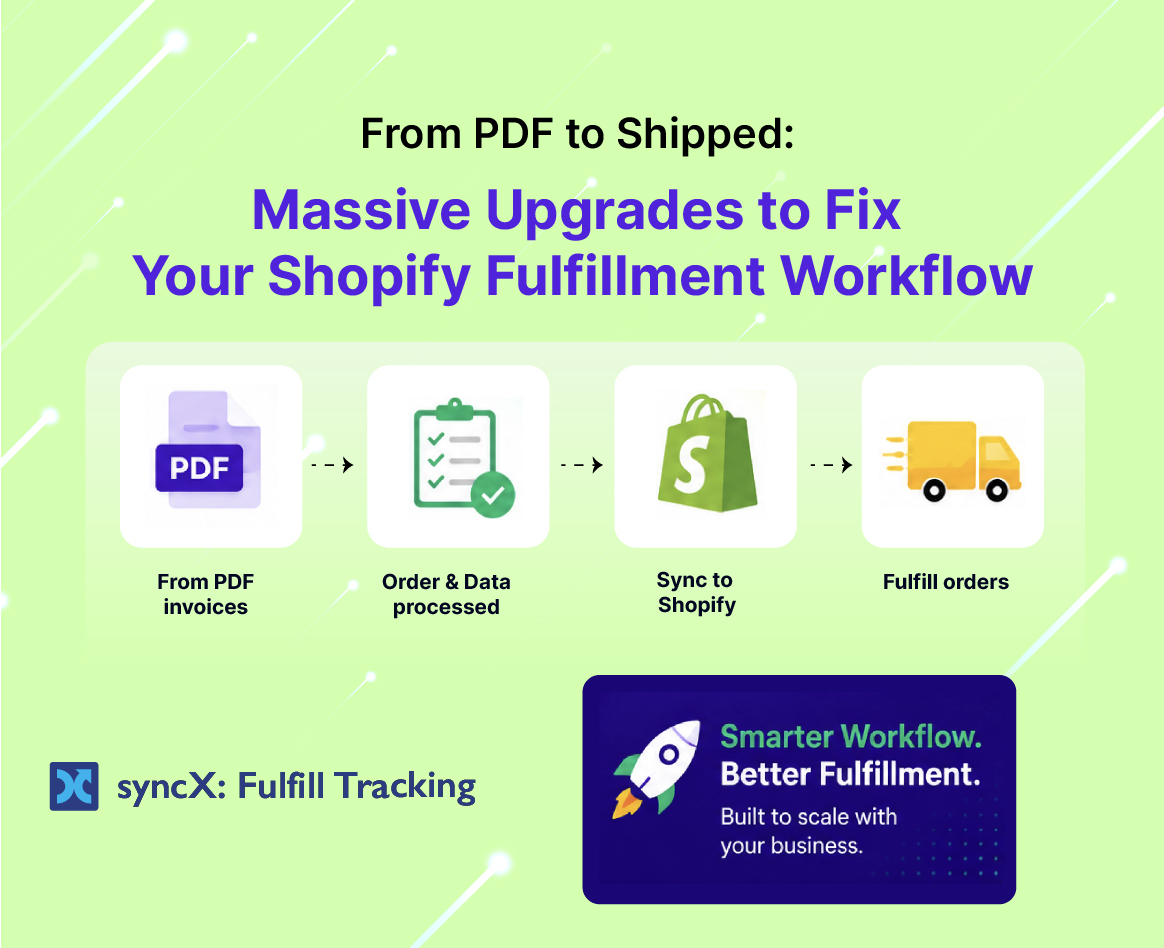
With our latest update, you can now export invoices directly in a clean PDF format.
[ New Shopify Order ] ──► [ SyncX: Order Export ] ──► [ Beautiful PDF Invoice Generated ]
Instead of drowning in manual formatting, the system handles the layout for you. It pulls the order data, structures it exactly how an accountant wants to see it, and prepares it as a download-ready PDF. It is straightforward, clean, and saves tons of time. No code required—it just works right out of the box.
Upgrade 2: Real-Time Export Delay (Say Goodbye to Half-Baked Data)
If you’ve ever run a real-time order export to an external system, you might have hit a very specific, incredibly annoying glitch.
An order comes in. Your export app triggers instantly. But a few minutes later, you realize that half of the critical information is missing. The customer tags didn't pull through, the third-party risk analysis is blank, or the custom localization data didn’t attach to the file.
Why does this happen? Because Shopify needs a few seconds (and sometimes minutes) to fully finish processing an order and attaching all its background data. If your export app shoots the data out too fast, it grabs an incomplete file.
To fix this, we added a new Real-Time Export Delay setting inside your Account page.
How the Delay Protects Your Operations:
- Choose Your Window: You can now choose to delay your automated real-time exports by 5, 15, or 30 minutes.
- Flawless Processing: This delay gives Shopify the perfect buffer to finish editing the order, applying third-party app metadata, and finalizing risk checks.
- Clean Data integrity: When the file finally exports, it’s 100% complete. No missing parameters, no broken logic, and zero manual clean-up required.
Upgrade 3: New Export Profiles (Draft Orders, Refunds, and More)
Your business doesn’t just move in straight lines from "Ordered" to "Fulfilled." You deal with manual phone sales, messy accounting adjustments, and financial payouts that have to tie back perfectly to your bank statements.
To give you complete control over your data, we’ve vastly expanded our system capabilities. You are no longer limited to standard order histories. You can now build dedicated export profiles for four critical new data types:
Draft Orders
Perfect for wholesale teams and custom sales reps. You can now extract your pending invoice data, terms, and draft histories cleanly to review your pipeline before those orders go live.
Refunds
Keeping your books balanced means tracking exactly what went out of your account, not just what came in. Exporting your refund data makes it incredibly straightforward to reconcile your monthly returns without matching individual line items by hand.
Abandoned Carts
Don’t leave money on the table. Exporting your raw abandoned cart logs into a structured document allows your sales or marketing team to run hyper-targeted, offline follow-ups or analyze exactly where buyers are dropping off.
Payouts
Tying your bank statements to your Shopify balance sheet can be an absolute nightmare. Our new payout export lets you download clean breakdowns of exactly what Shopify deposited, what fees were taken, and which orders were included in that specific payout batch.
A Quick Setup That Saves Hours of Work
We know that working with data apps can sometimes feel a bit daunting. When you’re looking at mapping filters and setting up schedules, it’s normal to look at the screen and feel a bit confused if you aren't a highly technical person.
But you don't have to figure it out alone. Unlike other platforms that just point you toward a dense user manual and leave you to struggle, our customer support team is right here in the trenches with you.
Whether you need help mapping out your first PDF template or configuring a 15-minute real-time delay to your server, we will literally walk you through the process until everything is functioning perfectly.
Stop doing the data entry dance by hand. Put SyncX: Order Export to work, automate your back-office reporting, and give your team the breathing room to actually grow your store.
Ready to clean up your business reporting? Try SyncX: Order Export today and get your data running smoothly.











Start Automating Your Inventory Today


Company Reg: 1047341V
5-13-05, Block 5, VSQ @ PJ City Centre, Jln Utara, 46200 Petaling Jaya, Selangor.


