
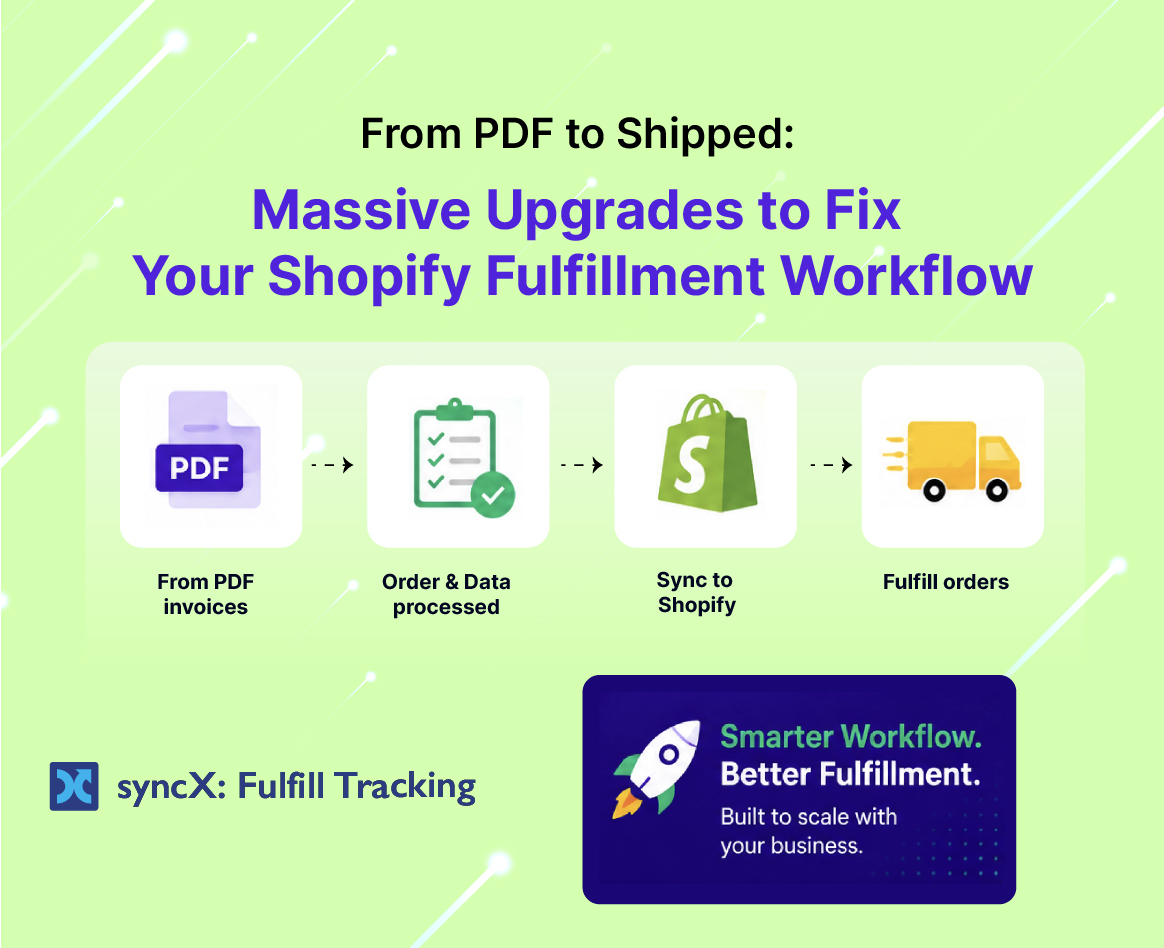
Massive Upgrades to Fix Your Shopify Fulfillment Workflow


From PDF to Shipped: 5 Massive Upgrades to Fix Your Shopify Fulfillment Workflow
If you’ve ever spent a Monday afternoon stuck in fulfillment limbo, you know exactly how painful the back-end shipping grind can be.
Your supplier or warehouse drops a tracking manifest over to you, but it’s a locked PDF instead of a clean data file. You’re opening twenty different tabs in Shopify just to type in tracking numbers. Meanwhile, your customer support inbox is already getting flooded with angry "Where is my order?" emails because Shopify sent an automatic shipping notification the second you printed a label, even though the mail truck won't pick up the pallet until tomorrow.
Suddenly, you aren't a founder growing a brand; you’re an administrative assistant fighting against a clunky, manual setup.
That is exactly why we built syncX: Fulfill Tracking. We wanted an app that takes the operational headaches out of shipping and simply does the job you require it to do, consistently.
We’ve just rolled out five major feature upgrades designed to save you tons of time, protect your customer experience, and get your shipping workflow running like clockwork.
Upgrade 1: Auto-Convert Tracking PDFs to CSVs
Let’s start with one of the most tedious manual tasks in e-commerce: dealing with uncooperative warehouse files.
Many traditional suppliers and third-party logistics (3PL) warehouses don't send neat, automated data sheets. Instead, they email over a shipping manifest or an invoice as a PDF. Trying to copy and paste tracking numbers out of a PDF is an absolute nightmare—the text formatting jumps around, numbers get missed, and it eats up hours of your day.
With our latest update, syncX now supports raw PDFs and automatically converts them into clean CSV data.
You no longer have to manually extract numbers or type them out by hand. You simply upload the PDF manifest from your supplier, and our app instantly translates it into standard data, matching the tracking codes directly to your open Shopify orders. It is incredibly straightforward and removes a massive operational bottleneck.
Upgrade 2: One-Page Tracking Entry (The Ultimate Speed Run)
Jumping back and forth between different order screens inside Shopify just to update tracking info is a clunky process that slows your team down.
To fix this, we built the One-Page Tracking Entry screen.
[ Centralized Screen ] ──► Update Tracking Numbers + Fulfill Orders Simultaneously
Now, you can update tracking information and mark orders as fulfilled from one centralized screen. You don’t need to open separate tabs or click through multiple menus for every single customer. Everything you need to finalize your shipments is laid out on a single page, turning what used to be a multi-hour grind into a quick, five-minute task.
Upgrade 3: Smart Tracking Visibility (Stop the Panic Emails)
We’ve all dealt with this specific customer support headache: You print a shipping label at 4:00 PM. Shopify instantly triggers a "Your order has shipped!" email to the customer. The customer clicks the tracking link at 5:00 PM, sees "Pre-shipment: Label Created," and stays stuck on that status for 48 hours because it’s the weekend. By Monday morning, they are emailing your team asking why their package hasn't moved.
Our new Fulfillment Tracking Visibility controls completely eliminate this issue.
You can now control exactly when tracking information becomes visible to your customers based on the actual shipment status and carrier rules. Instead of blasting out an alert the second a label is printed, you can configure the app to only display tracking updates once the package reaches a specific status (like "In Transit" or "Accepted by Carrier"). This keeps your customers informed with real data and saves your support staff from answering endless "Where is my box?" tickets.
Upgrade 4: Exclude Specific SKUs from Fulfillment Feeds
Not every item in an order ships the same way. If you handle pre-orders, digital downloads, or custom made-to-order goods alongside your main inventory, running a blanket fulfillment sync can create a complete mess. You risk accidentally marking un-shipped custom items as "fulfilled," which confuses both your warehouse and your customer.
We’ve introduced a new SKU filter that allows you to explicitly exclude specific SKUs from your automated fulfillment tracking sync. This gives you total control over your feeds, ensuring that only your standard, ready-to-ship stock gets processed automatically, while your custom or delayed items stay safely untouched until you’re ready.
Upgrade 5: Custom Pickup Order Behavior
Local pickup is fantastic for building community, but managing the data on the back-end can get tricky. When a pickup order syncs through your shipping logic, standard apps often default to marking it as fully "fulfilled," which tells your inventory system the item is gone before the customer even walks through your door.
With our new Pickup Order Behavior setting, you choose the logic. You can configure the system to automatically mark pickup orders as completely fulfilled, or cleanly set them to "Ready for Pickup" when synced. It ensures your store data accurately reflects the real-world status of your inventory.
High-Touch Support When You Need It
We understand that modifying your fulfillment plumbing can take some understanding, especially if you aren't a highly tech-savvy person. Setting up rules for carrier visibility or mapping a new PDF template can feel a little confusing at first.
But you don't have to figure it out alone. Unlike other apps that leave you stranded with a generic user manual, our customer support team is exceptional at problem-solving. We will jump into the trenches with you, help you map your supplier's layout, and make sure your tracking pipeline is completely leak-proof before you run your next batch.
Stop doing the tracking dance by hand. Put syncX: Fulfill Tracking to work, streamline your shipping screen, and give your brand the backend efficiency it needs to scale.
Ready to clean up your shipping headaches? Try syncX: Fulfill Tracking today and get your tracking data running smoothly.


.jpg)




Start Automating Your Inventory Today


Company Reg: 1047341V
5-13-05, Block 5, VSQ @ PJ City Centre, Jln Utara, 46200 Petaling Jaya, Selangor.


